• Skip to primary navigation
  • Skip to main content
All About The Best

All About The Best

Where Quality Meets Choice

  • Home
  • Reviews
  • Blog
  • About Us

Best LG Monitors

The perfect workspace or gaming setup often boils down to the monitor, and the daily experience you have with it. LG has always been a leader in display technology and offers a slew of monitors to suit everyone from creative professionals to hardcore gamers. If you’re in the market for ultra-sharp 4K resolution for content creation, mind-meltingly high refresh rates for fast-paced gaming, or faithful color accuracy for professional applications, LG’s monitor lineup may warrant a closer look. To help you see through the haze of specs and features to find the monitor that most suits your needs and budget, we’ve rounded up the best LG display options available today. Now, let’s get into what makes these monitors worthy of consideration against its competitors and why they could be the upgrade you have always dreamed of.

Top 5 Best LG Monitors:

1. LG ‎32GS95UE – Best LG Monitor overall


Check Price on Amazon


Prepare to take your gaming experience to a whole new level with your LG ‎32GS95UE. This amazing display offers 4K UHD quality, paired with a mega fast 240Hz refresh rate, on an OLED panel. Gamers will appreciate that response time of a mind-boggling 0.03ms means everything feel as smooth as possible. You will hardly notice any lag or ghosting which delivers a seamless experience.


Experience the first ever VESA Certified Dual Mode in the world. Effortlessly toggle between 4K and 240Hz and Full HD and an impressive 480Hz. It’s that flexibility that has been a game-changer. If you’re concerned about screen tearing, relax with NVIDIA G-SYNC compatibility. It lowers stutter so that you can enjoy smoother games. AMD FreeSync Premium Pro makes this even better, providing tear-free play. DisplayHDR True Black 400 and an arresting 1.5M:1 contrast ratio make rich blacks and vivid colors come to life on screen. Another awesome feature is Pixel Sound, which converts sounds straight from the display into something more immersive.


Price point is one small consideration, but you’re getting quality performance for your money. With its impressive specs and colourful visuals, this monitor easily shines among competitors. Love gaming? Get the LG ‎32GS95UE and see what you’ve been missing!


2. LG ‎27GS95QE – Best value LG Monitor


Check Price on Amazon


Ready for an upgrade? As one of the best value monitors you can buy, the LG ‎27GS95QE really excels. That 240Hz refresh rate is a sight to behold when it comes to gameplay. You will see propelling responses against the foes to give you an edge. With 0.03ms response time, enjoy fast action with no lag. That results in less screen tearing and more solid visuals while gaming hard. The VESA DisplayHDR True Black 400 standard provides deep colors and sharp details, even in dark scenes. Become fully immersed in your favorite games.


The astonishing contrast of 1,500,000:1. This feature provides a sharp, vivid image that makes things, such as games and movies, appear life-like. This gamer design reaps that battlestation maximization. Adjust the height, tilt and swivel to make it your own. Support for NVIDIA G-SYNC as well as AMD FreeSync Premium Pro elevates your gaming experience with smooth visuals. HDMI 2.1 and DisplayPort 1.4 can deliver high-resolution graphics at breathtaking refresh rates.


The anti-glare display is great at reducing distractions, but it can sometimes reflect bright light. But this slight niggle will not mar your enjoyment. What I love most about this monitor is its ability to pair an ultra-fast gaming experience with outstanding image fidelity. Want to see how it changes your setup? Get yours today on the LG ‎27GS95QE!


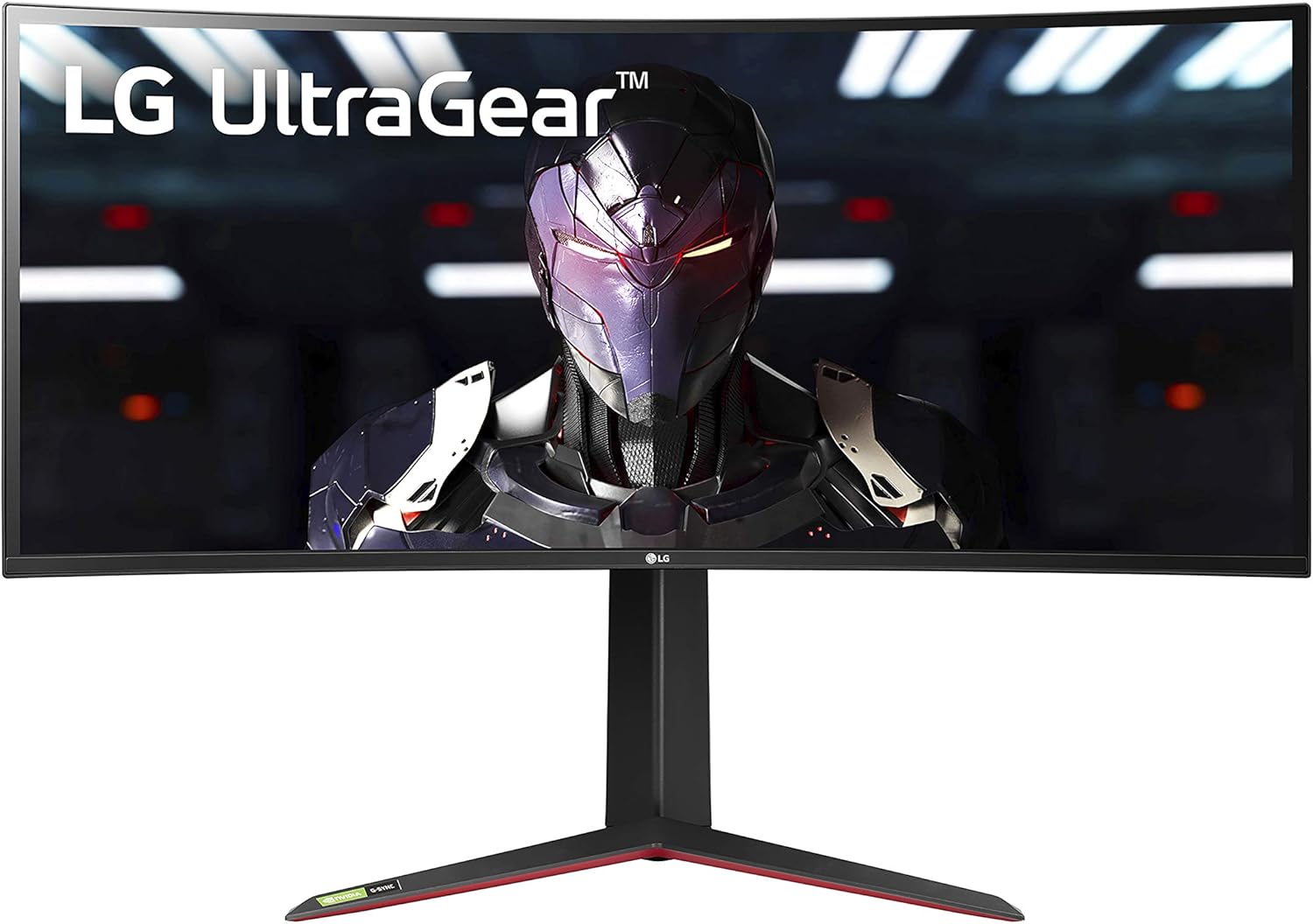
3. LG UltraGear 34GP83A-B – Best Gaming LG Monitor
 

Check Price on Amazon


Be immersed in exceptional gaming with the LG UltraGear 34GP83A-B. This ultra-wide WQHD resolution gaming monitor will change how you game. You need a wide view, which increases immersion and gameplay. Savour the magnificent refresh at first. With a 160Hz refresh rate, it provides buttery smooth visuals that makes every single frame matter in the most fast-paced of games. Plus, the 1-millisecond Motion Blur Reduction means you won’t have to deal with distractions from blur or ghosting. If every detail is crystal clear, your reactions improve dramatically.


It goes a step further with VESA DisplayHDR 400. Colors are vibrant with 99% sRGB coverage, bringing environments, characters, and lighting alive. It’s this degree of realism that brings you into virtual worlds. NVIDIA G-SYNC and AMD FreeSync Premium features are beloved by gamers — they prevent screen tearing. Enjoy the smoothest gameplay without stutter, even at the most competitive times. Dynamic Action Sync leaves input lag in the dust. You’ll react more quickly to every thing that happens on-screen. Dynamic Action Sync minimizes input lag for smooth on-screen action, while Black Stabilizer highlights dark areas so you can catch elusive opponents in the act. In addition, the Crosshair feature tightens your shooting precision in battles.


A small downside is that it takes a while for the monitor to adjust to its settings. Once set up though, it really comes into its own for every single gaming session. Read on to see what makes this monitor a cut above the rest. If you want to step up your gaming visit LG UltraGear 34GP83A-B now!


4. LG UltraGear – Best midrange LG Monitor


Check Price on Amazon


In the market for a top-notch gaming monitor? The best midrange monitor is LG UltraGear. Enjoy stunning 4K UHD content with a staggering 144Hz refresh rate. Ideal for hardcore PC gaming, and next-gen consoles, and smooth-framed gameplay you’ll always appreciate. Display quality: Responsive IPS technology offers intense colours, contrasting deep colours, and sharp details. At 27 inches, there’s ample screen real estate to be immersed in the action. You can confidently give your eyes the ultimate feast of gaming goodness with stunning imagery.


It reduces screen tearing and stutter with NVIDIA G-SYNC compatibility. You get to savor each frame as you pursue the win, making gameplay feel smoother. AMD FreeSync Premium also provides a tear-free experience. It promises a minimum 120Hz refresh rate to make sure your PC games are stutter-free. Whereas HDR400 covers 95% DCI-P3, so you can create bright, vibrant images, not everyone will be satisfied with the HDR capabilities. But at the expense of very little for the quality of display delivered.


What I love the most is the seamless game immersion due to graphics and response times. Gamers looking for a great midrange pick should definitely check out LG UltraGear!


5. LG 24GS60F-B UltraGear – Best budget LG Monitor


Check Price on Amazon


Ready to elevate your gaming experience? Look no further than the LG 24GS60F-B UltraGear. This monitor offers stunning Full HD performance that truly impresses. With a remarkable 180Hz refresh rate and 1ms GtG response time, smooth gameplay keeps you ahead of your opponents. You’ll enjoy crisp action without any distracting blurs or lags. Experience ultimate flexibility with NVIDIA G-SYNC and AMD FreeSync technology. These features effectively eliminate screen tearing, allowing you to soak in every moment without frustration. The 99% sRGB color gamut creates vibrant visuals, making games pop with life and detail. You’ll immerse yourself in rich environments as colors come alive.


A gamer-centric design maximizes your setup with a three-side virtually borderless screen. Two HDMI ports and DisplayPort connectivity make it easy to connect and customize your display. Enjoy quick adjustments with its tilt feature for perfect viewing angles. While the monitor excels at gaming performance, some may find it lacking in advanced ergonomics. Yet, it remains a solid choice for budget-conscious gamers who want quality and style.


What truly stands out is the enhanced gaming GUI. Switching between modes like Gamer, FPS, and RTS creates a tailored experience just for you. Explore every gaming advantage by checking out the LG 24GS60F-B UltraGear today!


LG Monitors Buying Guide:

When it comes to your computing experience, monitors are a vital element and LG has monitors that meet those needs. LG has something for everyone, whether you want to game with a high refresh rate, or you’re a professional who needs color to be reproduced correctly, or you just want to watch multimedia. Here, you’ll find the best LG monitors around that will help you choose the ideal option for your setup.

OLED Monitors

LG’s OLED monitors offer one of the best contrast and deep blacks available on the market, leaving nothing close to a cinematic experience — a perk for PC Drivers and gamers alike. They are self-emissive pixels which emit their own light; this means colors tend to be richer and the dynamic range impressive.

Deep blacks will greatly enhance your overall experience while engaging in activities like watching films or playing games, fully immersing you in the school of thought you’re consuming. An OLED monitor is capable of producing such impressive visuals that even the simplest of tasks feels special. An OLED monitor can take your experience for streaming your favorite show or working on complex projects to the next level.

Resolution

The first aspect you want to consider when choosing your monitor is resolution. More resolution means clearer images and better definition. There are various resolutions such as Full HD, 2K, and 4K available from LG giving you the freedom to choose as per your use, be it gaming, professional work, or entertainment.

Refresh Rate

Refresh rate is also hugely influenced by certain factors that affect your overall viewing experience. Higher refresh rates lead to smoother visuals, an essential feature for gaming and fast-paced video content. LG monitors generally feature a refresh rate between 60Hz to 240Hz.

This highlights the contrasts in performance you can expect. Higher refresh rate reduces motion blur and helps with gaming performance as it makes the actions more fluid. So if you do a lot of gaming or consume a ton of high-speed content, going with a monitor that has a higher refresh rate will definitely enhance your experience.

Define Your Usage

For the best possible results, just think about what you for your monitor. Whether you do gaming, professional graphic design, or just need a basic office use, all use cases have unique feature requirements. Understanding your core tasks will lead you to the right specs, too, like color accuracy for designers or a high refresh rate for gamers.

Set a Budget

You want to know how much you’re willing to spend before perusing the options. Your budget will quickly rule out options, allowing you to focus on monitors that offer the best performance for your money.

Often Budget — you have to work with what you have but don’t have to compromise on quality. LG has different monitors available across various price points, so you will have lots of other features that might suit your needs at a good price point. Remember to explore options, check for deals and discounts, and also assess the long-term value they offer as opposed to their upfront price, because you want to get your money’s worth.

Advantages

It offers great advantages such as up to date features, Dolby Vision support, etc for its monitors. With multiple sizes and outstanding response times to choose from, there is a model well adapted to your workspace or entertainment area. Moreover, their various connectivity options allow for versatility, allowing them to work with a multitude of devices, which increases usability across settings.

Disadvantages

Advantages of LG Monitors: Some models are expensive compared with rivals and you might find some features missing in budget models.

LG could also have some issues with backlight bleeding or ergonomically restrictive stands on some of its monitors. Moreover, some of those higher-end gaming features like increased refresh rates or variable refresh sync may not be available with cheaper models. Everyone has their individual wants and needs from their purchase, that being said, these disadvantages could affect your decision on these brands.

Troubleshooting Common Issues

The first thing are troubleshooting display issues, which is a simple process that can generally be fixed without the need for a professional. Begin with checking connections, tampering with settings, or resetting the monitor. Make sure your cables are secured and check for visible damage, since this can cause performance issues.

Simple steps can often resolve problems such as flickering, no signal, or color distortion. Check that all cables are securely connected, and try a different port to eliminate the issue. If the monitor isn’t recognizing the input, make sure that the correct input source is selected from your monitor’s menu. For such more stubborn instances, factory resetting the monitor may fix the issue if it is a software related problem.

Conclusion

All things considered, choosing the right LG monitor for you can greatly improve your productivity and gaming experience. LG has provide something for everybody, with choices that fluctuate from high-definition displays to flexible options. You can confidently choose the right monitor for your work/play space by weighing your individual needs for screen size, refresh rate, and connectivity options. When you choose an LG monitor, you are investing in quality, performance, and cutting-edge technology designed to take your visual experience to the next level.

Best TVs For PS5

You don’t get the most from your PlayStation 5 just through the latest games or the fastest internet connection; you need to set it next to a TV that can make the most of its phenomenal potential. Given the options PS5 has of outputting 4K resolution at 120Hz, HDR support, and features like Variable Refresh Rate (VRR), you could be missing some serious console potential if you end up with the wrong TV. Whether you’re exploring the beautiful worlds of games like Horizon Forbidden West, or are racking up a killstreak in fast-paced multiplayer matches in Call of Duty, a TV that can make the most out of the PS5’s next-gen abilities can greatly affect the quality of your gaming experience. This guide walks you through the boring technical jargon and must-have features to find the ideal TV that takes PS5 gaming sessions from good to great.

Top 5 Best TVs For PS5:

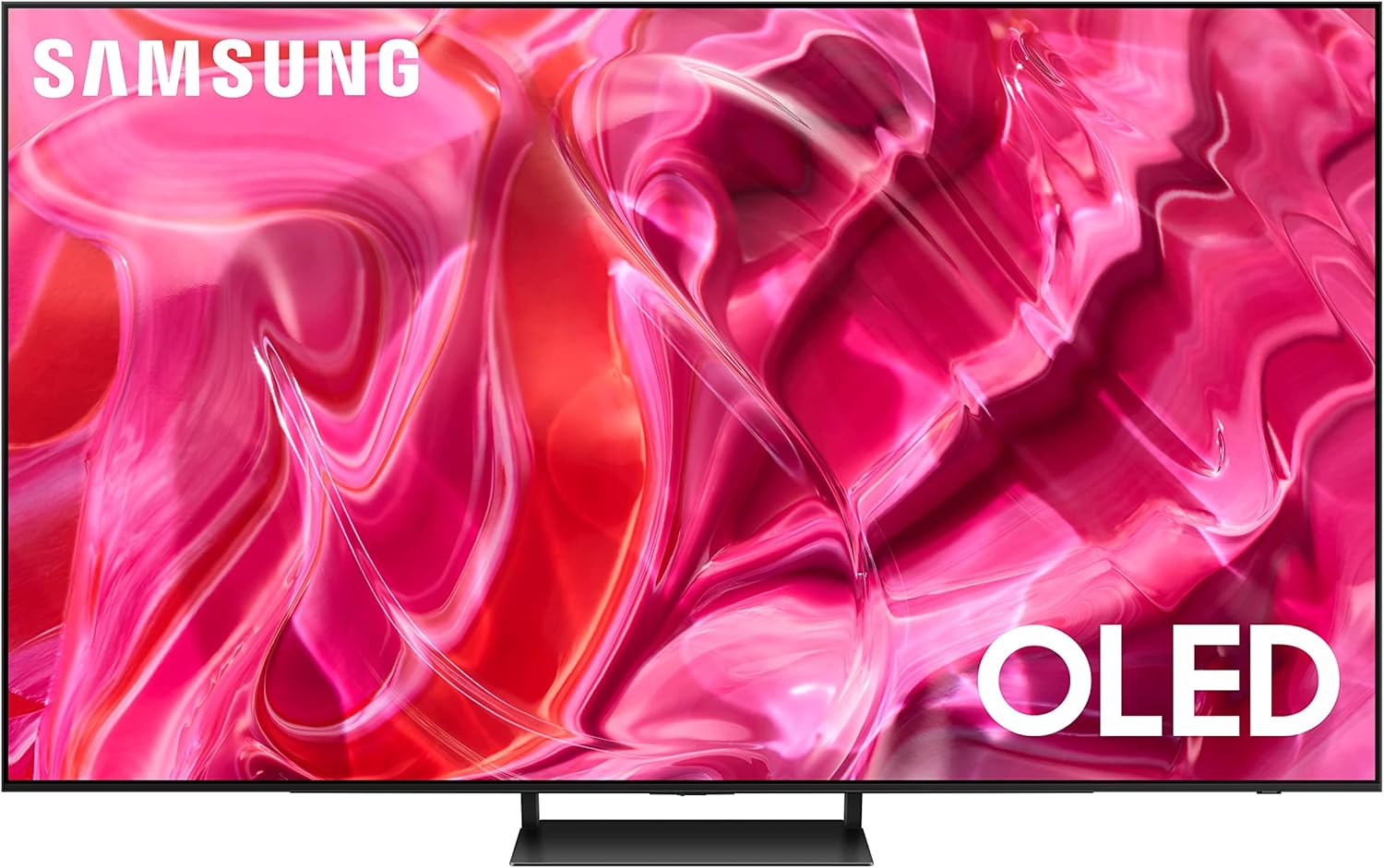
1. SAMSUNG S90D – Best TV For PS5 overall


Check Price on Amazon


Stunning visuals with the SAMSUNG S90D are a huge reason this is one of the best TVs for PS5. Its Pantone-validated color tech helps it shine in its category, delivering beautiful dark blacks and bright whites. You will love watching every detail pop up on the pixel-packed display, making for an incredible, immersive, game and movie nights. Your viewing experience is taken to the next level with stunning brightness and deep contrast. When the TV analyzes the playing field in scenes, it also boosts brightness and sharpness so that you’ll always see the crucial moments in thrilling games. The other standout is Gaming Hub. It brings all your beloved console and streaming games into one central location, making it easier to reach. Play without needing to switch from device to device.


AI Auto Game Mode and Mini Map Auto Detection for competitive gaming expands high performance. Little lag and great movement clarity ensures action is unbroken and gameplay smooth. Picture quality is excellent and the setup is somewhat more complicated. But get it right and the payoff is there. What is really mind-boggling is the creation of realistic depths with Real Depth Enhancer. It makes you feel like you’re in on the action.”


Find these features and more with the SAMSUNG S90D, and find out why you should be paying attention!


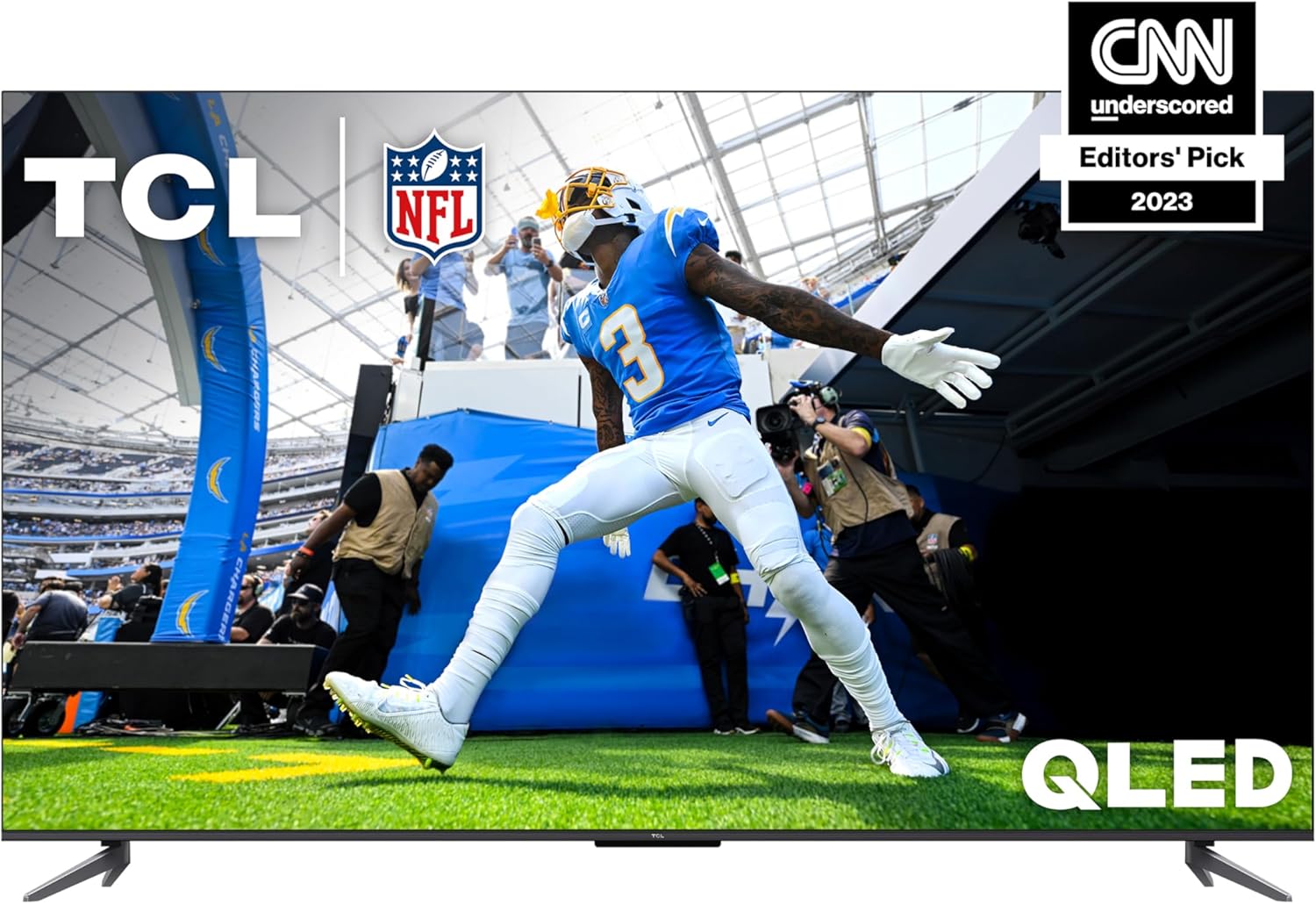
2. TCL QM7 – Best value TV For PS5


Check Price on Amazon


Are you in search of a high-end TV for your PS5? Check out the TCL QM7. Roku 4K UltraHD Resolution has 4x more detail than 1080p TVs, making this model breathtaking for the eyes. Thanks to the QD-Mini LED tech, which is capable of over 1,500 local dimming zones, you’ll be exposed to jaw-dropping contrasts. Every frame is infused with dark blacks and bright whites, drawing you into your favorite games and movies.


Remember that QLED ULTRA technology allows the colors to spring to life. With a color reproduction measuring nearly the whole of the DCI-P3 space, this TV seats incredibly lifelike, bright images in your living room. The high brightness of up to 1,500 nits means that every scene shines bright, perfect for when you’re watching in well-lit areas. High-refresh rates, such as 120Hz and even variable refresh rates beyond 120Hz (up to 144Hz depending on monitor) ensure that fast moving scenes are crystal clear. Avoid motion smear and enjoy smooth and responsive gaming. This is powered by the TCL AIPQ PRO Processor for brightness and contrast and the natural color technology that delivers an impressive HDR experience.


What is really an impressive feature is the Auto Game Mode with AMD FreeSync Premium Pro. Optimizes speed and minimizes input lag for competitive gaming. The user interface works, but it might take a little while to get used to. In general, this TV provides great value for passionate gamers. Explore the TCL QM7 and take your viewing experience to new height!


3. Sony BRAVIA XR A95L – Best Premium TV For PS5


Check Price on Amazon


The Sony BRAVIA XR A95L will fulfil every gamer’s wildest dreams. With stunning visuals and superb performance, this premium TV is the best you can get if you own a PlayStation 5. Its Cognitive Processor XR produces realistic images in every scene, with vivid colors, deep blacks and bright highlights. You’ll love the wide color gamut offered by QD-OLED and XR Triluminos Max. Watch your favorite shows and games in a way you never could before.


All your streaming apps in one place thanks to Google TV. Voice control with Google Assistant makes searching a breeze. You’ll love the instant access to streaming high-bitrate 4K UHD movies through the BRAVIA CORE app, with some great credits to catch up on the latest new releases. Game Menu brings your gaming experience together with one simple interface to manage your settings. Gamers also benefit from 4K/120 and VRR, features enabled with HDMI 2.1, that help provide smooth, responsive gameplay.


Multi View is another great feature that lets you watch two things at once. One of its smart features includes Alexa integration, which allows you to control the TV with voice commands. While it’d be nice to see even more high-end gaming features, what is available here is impressive from the games perspective. This TV means you can expect no less than captivating entertainment every time you use it. Learn More About the Sony BRAVIA XR A95L Here to Take Your Viewing Experience to the Next Level!


4. LG B4 – Best midrange TV For PS5


Check Price on Amazon


The LG B4 is no exception, providing an immersive viewing experience. This TV is one of the best midrange options out there for PS5 lovers with its fantastic features. The 8 million self-lit pixels in this smartphone mean every scene pops with vibrancy. From the most vivid hues to dark shadows, experience 100% Color Volume and Fidelity, meaning what you are watching is as deep as it is true.


Dolby Vision and Dolby Atmos go above and beyond in your entertainment setup. The colors and brightness shine, while sounds immerses around you, improving anything from movies to games. With FILMMAKER MODE, films look just like the directors, filmmakers and cinematographers intended, delivering a cinematic experience from the comfort of your home. The a8 AI Processor means there’s no more need to mess with picture settings. It also adjusts your viewing experience automatically according to the content. Multi View lets you watch two screens side by side which is a great multitasking option.


WebOS 24 and LG Channels make it easier to find content. Boredom is a thing of the past with access to more than 300 free channels. For gamers, a 0.1ms response time and NVIDIA G-Sync produce smooth, sharp action. The only little issue is the webOS, which might confuse some new users for a while. Its software updates through the Re:New Program, however, ensure that your TV stays current for years to come.


5. TCL Q6 – Best budget TV For PS5


Check Price on Amazon


So which budget TV should you buy for the PS5? The TCL Q6 could be the ones for you. This 55-inch 4K Smart TV with HDR PRO+ technology looks ambling. It’s going to deliver better contrast and vivid colors that make your favorite games leap off the screen. Experience Over A Billion Colors With Quantum Dot Technology It’s just right for exciting gaming sessions and movie nights. The UltraWide Color Gamut means you won’t miss a single detail, and the HighBright Direct LED Backlight makes everything pop, even in bright rooms.


Google TV builds on that with an additional layer of fun, bringing together your various streaming services in one unified experience. Ideal for binge-watchers, it allows you to easily cast directly from your devices. For gamers, Motion Rate 240 with MEMC provides clear visuals during fast-paced scenes. You’ll love how everything looks smooth when playing intense games. Eliminate lag with Game Accelerator 120 for a big advantage. With variable refresh rate support based on AMD FreeSync, gaming is responsive and immersive.


Sound quality is average; you can read about a separate pair of speakers if you want a good audio output. Best of all, I’m blown away by the picture quality at this price. For the ultimate gaming experience without overspending, TCL Q6 is your go-to.


TVs For PS5 Buying Guide:

There’s a perfectTV out there that can take your PS5 gaming to the next level, and all it takes is finding it to make a difference. The last thing you want is a display that won’t keep up with the gorgeous graphics and lightning fast gameplay of your console, especially with the latest and greatest display tech out there. This guide will cover some of the best TVs that will not only improve visual quality but also give you the greatest reduction in input lag and highest refresh rates for your gaming sessions. Let us assist you in finding the perfect TV to partner with your PS5 for an exhilarating gaming experience.

OLED TVs

With OLED TVs, you enjoy exceptional black levels and stunning color accuracy, thanks to self-emitting pixels. This technology allows for deeper contrasts between light and dark scenes, making your gaming experience immersive and visually striking.

LED/LCD TVs

The best LCD LED TV under 20000 Rupees brings an excellent picture quality at an affordable price. They might not reach the same levels of deep black as OLEDs, but many models offer great brightness and vivid colors, making them fantastic for gaming during the day.

This technology has come a long way, and many LED/LCD TVs now have local dimming and fast-refresh features. Improvements like these can dramatically elevate the experience of gaming without spending as much as or over the cost of your console, providing path of least resistance for PS5 gamers.

Resolution

Resolution is another of the biggest factors to consider when getting a TV to go with your PS5. To harness the full power of the graphics on your gaming console, also look for other features that support 4K UHD (3840 x 2160). This means crisp, clear pictures that will let your games truly shine.

Refresh Rate

Take into account your TV’s refresh rate — it is basically how smooth your games will look. Higher refresh rates, a 120Hz number is ideal, make for smoother motion in fast-paced game situations and eliminate that dreaded motion blur, creating a better playing experience.

The 120Hz refresh rate makes your gaming more fluid, and also more responsive, which can help eliminate input lag that could be detrimental during competitive play. For the seamless flow of fine details on a screen — especially in action — a high refresh rate means less lag, and therefore a more immersive experience.

Size and Viewing Distance

The best TV size for gaming is essential for your gaming setup. You want a screen big enough to fill your field of vision without consuming your entire space, ideally. A good rule of thumb is to sit from 1.5 to 2.5 times the size of your TV for the best viewing experience. So, for a 55-inch screen, sit 6.5 to 11.5 feet away. This ensures you don’t miss out on the more immersive experience, while still enjoying the finer details.

Brand Reliability

Being able to above trust from the beginning will save you time and money. A stand-out brand name is a good start, as it often speaks to better customer support, warranty options, and overall build quality. For example, you can expect to enjoy your gaming experience for a long time with trustworthy brands as they generally keep their firmware up to date.

Choosing a good brand: What to look for: Customer reviews and feedback from experts and warranties For example, brands like Sony, LG, and Samsung have a long history of quality and innovation in the gaming technology space and are likely to have what you need. As long as you select a high-quality brand, the difference between them can be very minimal and will affect your experience and satisfaction a great deal.

Advantages of OLED

The OLED panel provides for an immersive experience worthy of any gamer. OLED TVs are renowned for their deep blacks and excellent color accuracy, which translates into gorgeous picture quality that elevates your gaming experience. Their wide viewing angle maintains vivid visual fidelity even when viewed at an angle extending the atmosphere more engaging.

Configuring Display Settings

Needless to say, setting up your display settings on your PS5 is essential in getting the best visuals possible when gaming. Adjust the output resolution and, if you have a compatible screen, make sure to enable HDR (high dynamic range) for richer colors and better contrast by heading to the ‘Settings’ menu on your PS5 and choosing ‘Screen and Video.’

Check, for example, that you set the output resolution to 4K, if your TV supports it. Also, toggle on the ‘Enable 120Hz Output’ option for smoother playing, as well as the HDR settings to suit your TV capabilities to create a plain visual experience.

Optimizing Sound Settings

One fundamental way to improve your overall gaming experience is to adjust the audio settings. In your PS5 sound settings, accessible via the ‘Settings’ menu, make sure your output format matches your sound system — stereo or surround — for the best sound setup.

Its good to try out the audio outputs, like ‘3D Audio’ feature, which provides the device with a more realistic sound. When you’re in the game, set the sound settings that fit with your gaming background, let your dialogues, effects and ambient sounds hit maximum overdrive to make every PS5 gaming session epic.

Conclusion

Now you should be set to pick the ideal TV for your PS5 gaming experience. Use specs like 4K resolution, refresh rates, and HDMI 2.1 support to optimize your gaming experience. Plus, a great display with stunning HDR performance will heighten your visual immersion. By prioritizing these features, you can maximize the enjoyment you get out of your hours in front of the PS5, making every session thrilling.

Best Earbuds For Small Ears

Earbuds can be difficult to find, especially when you have small ears — a problem many of you know well. Although the market is saturated with wireless earbuds claiming better sound quality and innovative features, not every pair is designed with smaller ear canals in mind. Earbuds that are ill-fitted can not only become painful and sore, but can even fall out in the midst of an activity, losing both your listening experience and your investment. Whether you are a gym rat, a commuter, or just a person who likes to listen to their daily podcast, good-titting earbuds matter for their comfort and sound quality. In this guide, we’ll look at the best earbuds for smaller ears, because getting that balance of comfort, sound quality, and functionality should not require you to fear them unexpectedly falling out of your ears or a sore ear after an hour.

Top 5 Best Earbuds For Small Ears:

1. Jabra Elite 8 Active Gen 2 – Best Earbud For Small Ears overall


Check Price on Amazon


Let the Jabra Elite 8 Active Gen 2 revolutionize the way you listen. These are our favorite earbuds for small ears, combining comfort and performance in equal measure. One major element is the Advanced Smart Case. It plugs easily into gym equipment while delivering spatial sound powered by Dolby Audio. This makes routine workouts feel like an immersive auditory event. Durability also impresses, achieving US Military specs. They’re also perfectly capable of managing dust, water and sweat, so they’re a suitable option for grueling sessions.


Natural HearThrough, allows you to be aware of your surroundings, so you can listen to music while being safe outdoors. And if you need solace, active noise cancellation provides a haven of concentration.” Secure fit without annoying ear wings thanks to Jabra ShakeGrip technology. The eargels come in different sizes, for a customizable experience. Feature Phone with Amazing Battery Life Up to 56 hours Fast-charging capabilities ensure you’re not in a pinch. Bluetooth Multipoint enhances functionality with consumer-focused features like seamless switching between iOS and Android.


Concert lighting designIf that makes it sound a bit on the bulky side, it is, but it does not impact performance or comfort. These earbuds also have excellent call quality and perform well in windy conditions. So if you want to change how you feel sound, try the Jabra Elite 8 Active Gen 2 now!


2. Sony LinkBuds S – Best value Earbud For Small Ears


Check Price on Amazon


Need earbuds that sit comfortably in small ears? If you’re looking for your ideal earphones, Sony LinkBuds S might just fit the bill. These are high-tech earbuds and are considered sound-smart — meaning they learn your habits. They also heat up to provide you the best sound for any scenario. These provide simply amazing noise cancellation. You can easily toggle between incredible noise canceling and natural ambient sound, so you can enjoy music or a conversation without distractions. They’re not just small and light, they’re comfortable enough to wear for long stretches. The Integrated Processor V1 specializes in immersive sound quality, resulting in crisp highs and rich lows.


Ultra-clear call quality is another high point. The Advanced Voice Signal Processing will let the calls through without being muffled, making phone calls more pleasant. Multitaskers will appreciate multipoint connection, which lets you connect two devices simultaneously. Listen for up to 35 hours on a single charge, and a range of one full charge to quick charge — 60 minutes’ use from just 5 minutes of charging. The earbuds have an IPX4 rating as well, which shields them against sweat and splashes, making them great for workouts.


Touch controls are easy to use, but they are slightly sensitive at times. It’s just a consideration to be aware of. The Sony LinkBuds S is a great value offering especially for those with smaller ears. That all makes for a great combination of features, sound quality and comfort. So, go visit them and see which one may be the best for you!


3. JLab JBuds Mini – Best Affordable Earbud For Small Ears


Check Price on Amazon


Find comfort with the best cheapr earbud for small ears: JLab JBuds Mini. These small wonders provide a powerful listening experience without compromising on style or fit. Get five and a half hours of playtime per earbud and an extra kick from the charging case. That’s right — you can groove all throughout your day without interruption! Seamless connectivity, for example, is what sets the leader apart. Bluetooth Multipoint allows you to alternate between your devices without a hitch. You can go from a podcast on your laptop to a phone call in an instant. IP55 rating means sweat and dust are easily able to be rinsed off, suitable for active lifestyles.


So is customizing your audio experience with the JLab App. Adjust settings like Be Aware to hear your surroundings. When bustling environments call, use clear calling features bolstered by noise-cancellation mics so they always hear you. One thing to keep in mind is the charging case is a bit bulkier than you would think. The extensive battery life makes up for that.


What I love about them most is how light they feel. It’s hard to imagine how such a small design can deliver high-quality performance. JLab JBuds Mini sound and comfort at a price you can’t beat. So be sure to read below, and step up your game (when it comes to listening)!


4. Anker Space A40 – Best midrange Earbud For Small Ears


Check Price on Amazon


Introducing the Anker Space A40! Adjust noise cancellation by up to 98% to block out the world around you and only focus on your sound. You can be in a busy cafe or on a crowded street, to enjoy your own personal bubble. The defining feature here is the automatically optimised noise cancellation It adjusts to your surroundings, so you always have exactly the right amount of quiet. This feature is fantastic during long commutes or on flights, when you want to hone in.


These buds keep you locked into your favorites with 50 hours of playtime. A brisk 10-minute charge provides a solid 4 hours of use, making marathon listening sessions a reality for audiophiles. Audio quality is still a major strength. The bass is rich, mids clear, and treble bright, thanks to double-layer diaphragm drivers. When using LDAC mode, Hi-Res Audio Wireless sound becomes layered — giving your music another dimension.


They’re also made with small ears in mind. They are lightweight, and the ergonomic form makes them feel comfortable to wear over long listening sessions. But they don’t block out sound quite as well as some more expensive versions do. That said, it’s a small concession for so much value. If you want excellent sound without spending a ton, check out the Anker Space A40 today!


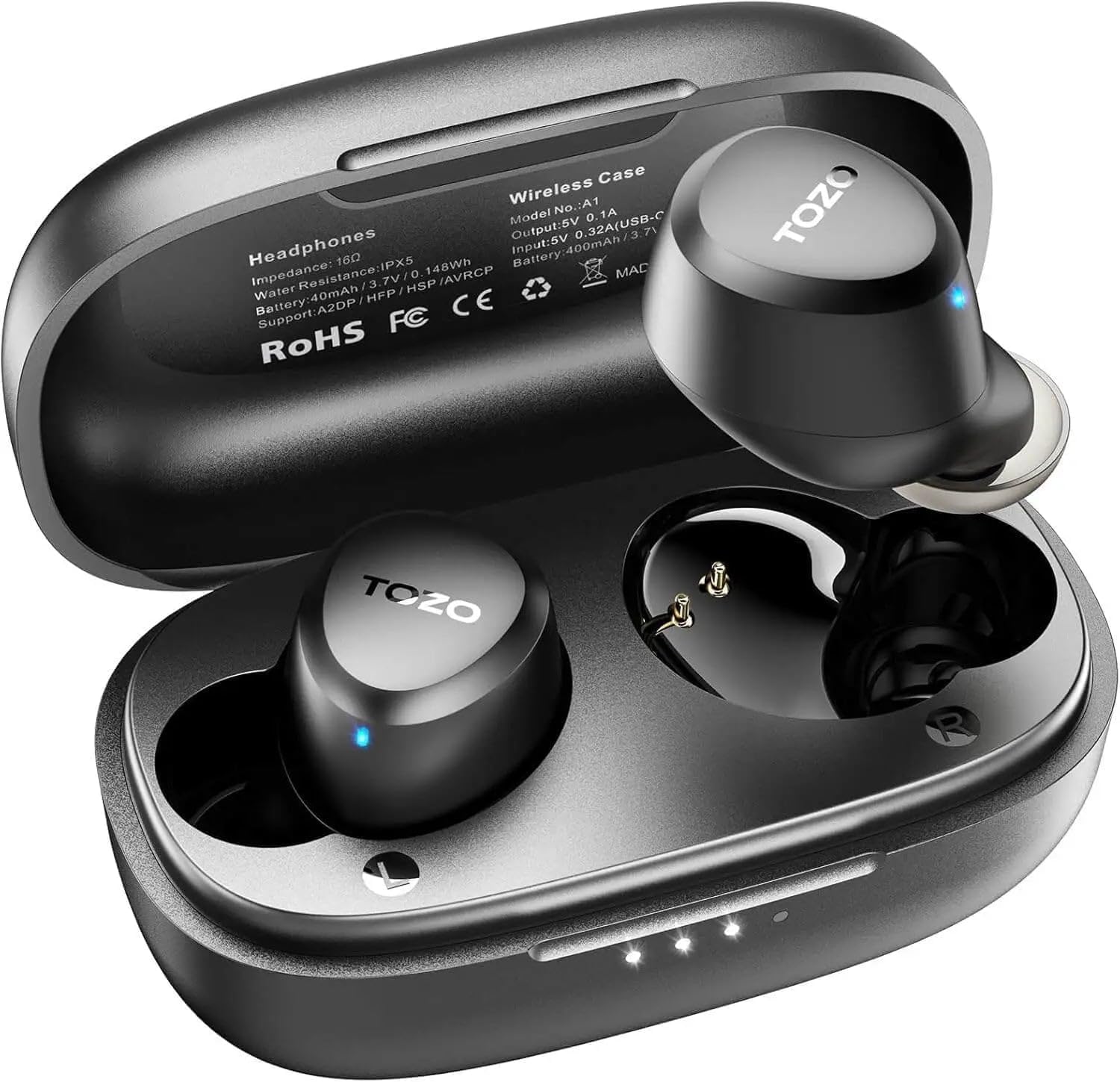
5. TOZO A1 – Best budget Earbud For Small Ears


Check Price on Amazon


Looking for cheap earbuds for little ears? Check out the TOZO A1. I’ve tested these tiny, lightweight earbuds and they perform marvelously. Each of them weights merely 3.7g. Because they’re ergonomic in design, they don’t protrude, ensuring they’re great for workouts or extended listening sessions. You won’t be adjusting them all the while. A great sound quality, thanks to the 6 mm diameter speakers. Treble has life while bass has impact. With Bluetooth 5.3 technology, our listening is uninterrupted up to 12 m, ensuring the best experience. Easily enjoy uninterrupted music or calls.


And connecting the TOZO app is where the customization begins. For audiophiles, you’ll be able to pick between 32 preset sound modes and adjust bass levels to your liking, which is a lovely addition. Battery life impresses, too. With 7 hours of play on one charge and the charging bin containing enough juice for 32 total hours (presumably, when used while walking), you can binge your playlists without constantly relying on a plug in.


Do note that although they are excellent in comfort and sound, noise isolation could be slightly better while in busy environments. Overall, this is a great budget option that delivers good value for users with small ears. For Superior Listening Quality, Try the TOZO A1


Earbuds For Small Ears Buying Guide:

Having smaller ears doesn’t mean that you need to compromise on sound quality or comfort, of course. If you are looking for the best earbuds available for small ears, you are in the right place. With features ranging from superior noise cancellation to wireless convenience, we’ll showcase some of The Best Headphones of 2023 tailored to your individual needs and preferences. With some of the best features available on the market today, comfort is no longer an issue.

In-Ear Earbuds

In-ear earbuds are designed to fit in your ear canal, isolating sound while providing a comfortable fit. These kinds of earbuds typically ship with different sizes of ear tips, allowing you to find a comfortable fit that won’t bother you when worn for extended periods. In-ear earbuds offer a sound-rich experience by blocking outside noise by forming a tight seal and work well for those with small ears.

Wireless vs Wired Earbuds

Conversely, you get the option of either wireless or wired earbuds depending on your lifestyle and need. Wireless earbuds have the potential to easily connect as well as use without the hassle of cords, allowing for handy use in your day to day life. They usually include rechargeable batteries and include a range of sound profiles.

It’s important to consider the advantages and disadvantages of each type. Wireless earbuds have the freedom you need on the move, but they need to be charged regularly. Wired earbuds, however, can provide slightly better sound quality and relieve the hassle of managing battery life. Think about how you’ll be using your earbuds and what’s most important for your listening style — portability or sound fidelity.

Fit and Comfort

On choosing earbuds, fit and comfort should be your top priority, especially for small ears. Look for models that come with various tip sizes or specialized designs like ergonomic shapes to ensure a snug fit. This prevents unwanted noise leakage and extends your listening experience without discomfort.

Sound Quality

For sound quality, you want the earbuds to produce clear audio across the board. Make note of specs like driver size and frequency response to help improve your listening experience since genres that require depth or clarity may aid in making your listening session as immersive as possible.

You should also think about how well the earbuds reproduce bass, mids and highs. Good drivers also tend to sound well-balanced, providing a more enjoyable auditory experience when listening to music or podcasts and watching videos.

Battery Life

Assuming that you’ll be using your earbuds for long stretches of time, battery life’s a big consideration. Seek out options that allow for hours of playtime, especially on a single charge, and consider models that support quick charging to keep you going on-the-go.

Most importantly, having a long battery life means you can enjoy uninterrupted listening on your favorite audio content without worrying about constant interruptions for recharging. Quality earbuds often come equipped with a durable charging case which can maximize your listening time, letting you recharge while on the go.

Test for the Perfect Fit

When you are shopping for a pair of earbuds, it is essential that you try them to ensure they fit your ears. If you can, go to a store where you can test out models. Listen to their sound quality and test to see if they stay secure when you move. Remember, the right fit not only improves audio quality, but it also aids in noise isolation, making your listening experience much more fun.

Research Brand Reputation

There’s nothing like knowing what brands actually have quality products you can rely on. Research customer reviews and professional testing on different earbuds before deciding. When choosing a company, seek ones with a proven record of happy customers and good service. At this stage, some research can save you considerable time and disappointment later by ensuring that you opt for a reliable brand with a good history of earbud performance and comfort.

A lot of brands are experimenting with this concept, which is having their earbuds made for smaller-eared users. From custom ear tips to interesting designs, some brands are unique because of their dedication to quality. Discover what users say about their experiences and how companies are rated for delivering on their promises to make your next purchase a worthwhile investment.

Trying Different Styles

It is important to try different styles of ear buds to see what is comfortable and what provides good sound. There are so many designs to choose from, from in-ear, to on-ear, to over-ear that sit comfortably against your ear without being too invasive. Note how each style feels and stays in place while in-use; comfort is important.

You tried players in their various methods to show you what suits them best. Some people like in-ear designs that seal for improved sound isolation, while others may find on-ear or over-ear models more comfortable. Go to a tech store where you can try out various models of headphones in person, and be sure to sample different brands to see what works best for your petite ears.

Pros of In-Ear Earbuds

Now, in-ear earbuds are an excellent choice for those with smaller ears because they provide a secure fit that minimizes sound leakage. This feature enhances your listening experience by delivering clear audio quality while blocking out external noise. Additionally, their compact design makes them easy to transport, making them ideal for on-the-go use.

Cons of Standard Earbuds

In fairness, users with smaller ears may experience some struggles with standard earbuds. The may not provide a tight fit, resulting in uncomfortable use and sound leakage. This can become distracting and makes them less ideal for long listening sessions.

Also, basic earbuds usually have a one-size-fits-all construction that doesn’t take into consideration the variety of ear shapes and sizes. This may lead to a more generic fit, which has shown to be prone to falling out during movement, as well as during physical activity. Matching a compatible model can do wonders for your comfort and sound quality experience.

To wrap up

In ConclusionFinding the best earbuds for small ears means looking at comfortability, fit, sound quality, and other features. Simply looking for options that are designed specifically for your ear size to promote comfort over long listening sessions can go a long way in avoiding discomfort. Earbuds that come with different sizes of ear tips can also help ensure a secure fit. Therefore you must shop for models that are specific to your needs so you can savor the luxury of comfort and outclass sound with added convenience.

Best Samsung TVs

Samsung is always on top of its game, and when it comes to premium television tech they are always ahead of the curve, providing some of the most spectacular displays available today. Whether you’re a cinema fan looking for epic visual quality in your movies, a gamer hoping for speedy response times when you make that split-second click, or just someone who needs a living room upgrade as your binge-watch habit takes over your home, selecting the right Samsung TV makes a big difference in how you watch things. Samsung has a large number of TV sets each utilizing the latest QLED and Neo QLED tech, powerful gaming features, and smart home integration — it can feel difficult to navigate. In this guide, we’ve covered the best Samsung TVs for every price range and requirement, so you can make an educated decision that you’ll be pleased with for years to come.

Top 5 Best Samsung TVs:

1. SAMSUNG S90D – Best Samsung TV overall


Check Price on Amazon


The SAMSUNG S90D is designed to provide an immersive viewing experience. Unlike its peers, this TV displays an ultra-vibrant pixel-packed screen with pure blacks and bright whites that really pop. The brightness levels are quite remarkable, giving a boost to everything you watch. You’ll appreciate the way it analyses every frame to enhance clarity. The Gaming Hub is a must for gamers, integrating console and streaming titles seamlessly. Quickly access your favorite titles and receive custom recommendations for new adventures, making gameplay a breeze.


Features such as Game Mode and Mini Map Auto Detection powered by AI take your gaming experience to the next level, so you don’t fall behind the competition. Additionally, motion is ultra-smooth with virtually no lag for uninterrupted action. Real Depth Enhancer brings depth and dimension to life. It is in line with how our eyes detect contrast and is visually interesting. Smart AI processing upscales content to near 4K quality, transforming everything you watch — from movies to your old home videos.


Watching with built-in Dolby Atmos sound will make you feel like you’re in the middle of the action thanks to immersive audio. You also have the NQ4 AI Gen2 Processor to handle it all efficiently, ensuring peak performance. Before you start, it is worth mentioning that setup may be a bit complex for some, but the features and quality makes it well worth the minor hassle. It gets you obsessed with what it can do. Learn more about this remarkable TV when you upgrade your own home entertainment.


2. SAMSUNG S95D – Best Premium Samsung TV


Check Price on Amazon


The SAMSUNG S95D is the best, if you are after the ultimate watching experience. This grand TV delivers a quality of detail and color that’s mind-bending. POLED technology is responsible for deep blacks and bright whites, meaning your favorite shows look jaw-droppingly good. Minimal distractions with glare-free OLED features help you keep your eyes on what matters. This also means that reflections won’t be an issue when watching movies or sports.


Dell is offering OLED HDR Pro bright whites and deep blacks that leap from the screen, with a level of clarity that puts this above lesser models. Thanks to Motion Xcelerator 144Hz, games have least lag and best motion to match up to your crazed gaming. Making your Landscape and scenes really beautiful, Real Depth Enhancer emulates the way our eyes focus when we look at things in depth. Paired with harmony of Dolby Atmos and Object Tracking Sound+, you feel the euphoria of action, sound expands, moves with the moving image onscreen.


4K AI upscaling instantly updates your content to amazing resolution, improving anything you watch. Moreover, the user interface of Samsung Tizen OS offers popular apps just a touch away. What’s impressive is how well calibrated it is — the colors are vivid and natural right out of the box. It may take some time to find the right settings, however. SAMSUNG S95D’s Exceptional Viewing Experience


3. SAMSUNG S90C – Best gaming Samsung TV


Check Price on Amazon


Get the Ultimate Gaming Experience with SAMSUNG S90C! The TV re-establishes home entertainment expectation. Rich details and vibrant colors bring every scene to life, powered by SAMSUNG OLED TECHNOLOGY. It holds your focus through movies and gaming, too. NEURAL QUANTUM PROCESSOR – Enjoy 4K content. Streaming is crystal clear, so it enhances every detail. The visuals are taken one step further with QUANTUM HDR OLED, which amplifies brightness and contrast. You’ll love the deep, accurate colors that really pop.


DOLBY ATMOS along with OBJECT TRACKING SOUND LITE makes entertainment come alive. Sounds shift about with the action, crafting a mesmerizing environment. You won’t miss a single detail of what is happening on-screen. This incredible TV adds style to your room with LASERSLIM DESIGN. MOTION XCELERATOR TURBO PRO ensures that all visuals are sharp at incredibly fast pace. Gamers will rejoice at 120hz refresh rates, which make every gesture seamless. Jump into fun with the all-new SAMSUNG GAMING HUB. It has been designed according to your gaming pleasure and involves easy access to games and settings.


The SolarCell Remote is certainly an innovation, but it does need sunlight to charge. So this feature promotes sustainability. The SAMSUNG S90C is one of the best gaming TVs on the market. Find out how much better your setup with this TV!


4. SAMSUNG QN900D – Best 8K Samsung TV


Check Price on Amazon


Looking for stunning visuals? Your ticket to 8K clarity: Samsung QN900D Its INFINITY AIR DESIGN showcases an exceptionally narrow bezel, so you can enjoy an open view of the screen. You’ll appreciate the fact that the picture stretches to all edges, immersing you in every movie and show. NEO QUANTUM HDR 8K PRO The vividness of colors & depth of contrast. Bright brights and inky blacks combine to create an image that just takes your breath away. REAL 8K RESOLUTION with AI UPSCALING PRO uplifts every frame, delivering images that offer four times the resolution of 4K.


AI MOTION ENHANCER PRO maintains clarity for fast action. You won’t miss those key plays with either sports or action-films. DOLBY ATMOS & OBJECT TRACKING SOUND PRO for the sound. Sound follows every movement on the screen, filling the room. REAL DEPTH ENHANCER PRO – Depth of field that feels like real life. You’ll see every frame leap with dimension. The NQ8 AI GEN3 PROCESSOR creates breathtaking textures and graphics that mirror movie theater style!


The price point may be steep for budget buyers, however, and user’s still have to contend with the scorching QN900D. But, for this expenditure, you are guaranteed superior performance. Immerse yourself in the ultimate viewing experience with Samsung flagship!


5. SAMSUNG DU7200 – Best budget Samsung TV


Check Price on Amazon


If I can get you something for a great price… Meet the SAMSUNG DU7200! This TV packs a serious punch, with PurColor technology on-board to display a plethora of colors. You will be completely immersed in every scene, whether it’s lush green grass or gorgeous sunsets. Indulge in 4K Upscaling, Enhanced clarity for your favorite shows. Every pixel evolves so you can catch the minutest details. It features Motion Xcelerator for less lag so you can enjoy seamless viewing, even in action-packed moments. You will not lose a second of sight while streaming high-speed actions.


Object Tracking Sound Lite produces surround sound that moves along with what’s happening onscreen. Sense yourself as part of the action, be it a thrilling car chase or a lively party. Mega Contrast: Makes colors pop as it optimises brightness and contrast for a breathtaking picture. HDR technology brightens even the darkest scenes, bringing out beautiful detail, while the Crystal Processor 4K automatically upgrades everything you watch. Samsung TV Plus makes it easy to tune into free live TV with great content for every mood.


It does not have its own voice control, but it perfectly works to give voice commands through other smart devices. A prominent advantage over similar models. All in all, this TV is doing better than expected, not just meeting it. Try SAMSUNG DU7200 and experience upgraded watching now!


Best Samsung TVs Buying Guide:

Whether it’s your all-time favorite show or the latest blockbuster, TVs are an essential part of your entertainment setup and Samsung always showcases models with great technology and viewing experiences. This guide will showcase the best Samsung TVs you can buy right now, based on specific needs and budgets. Be it beautiful picture quality, fancy features or smartness, our chosen selection should guide you towards an informed choice for your home. Discover the ideal Samsung TV for you, and bring your viewing experience to the next level!

QLED TVs

Even as one of Samsung’s most popular options, QLED TVs are renowned for their standout color accuracy and brightness, making them a favorite for bright environments. With Quantum Dot technology, you can enjoy a vivid viewing experience, rendering images that pop on screen.

Crystal UHD TVs

Crystal UHD represents solid viewing quality at a reasonable price. These TVs also offer 4K resolution, so you will see sharp images and hear clear sound for any everyday viewing and streaming, making them a reasonable value.

A Crystal UHD TV is especially great if you watch a mix of content, since it plays different resolutions equally well. This feature lets you enjoy your favourite movies, shows and sporting occasions in incredible detail, all at a lower-cost than higher-end devices.

Resolution

Now, resolution, which is so much more important than it might seem. The more pixels there are, the crisper and more detailed the picture.

Screen resolution is how clear or vibrant your content looks on your TV. Resolution-wise, Samsung also has several types, you can choose 4K or 8K, both have spectacular views. Those who eat at high-definition will want a higher resolution in order for him not to lose the enjoyment of details in movies and shows.

Smart Features

Smart features are an essential part of any TV setup for modern viewers. With a new Samsung TV that features smart technology, you can literally watch it all — services for streaming, apps, internet and more are available on your screen.

As an example, we can take Samsung’s Tizen operating system which comes with an intuitive interface that lets you navigate effortlessly between different applications so that you can easily stream your favorite shows or browse new content. Also voice control and smart home integration features can take your viewing experience to the next level by allowing your TV to connect with other smart devices in your home.

Setting a Budget

Budgeting from the beginning will help inform your TV purchase. First of all, figure out what is your budget for a Samsung TV, but also remember that you will have to pay for other additional services like warranties and accessories.

A budget will allow you to narrow down your options effectively. Decide which features are most important to you, whether it’s screen size, resolution or smart capabilities, and make sure not to overspend. Account for any potential sales or discounts, and keep in mind, investing in a quality model can upgrade your overall viewing experience in the long haul.

Understanding Display Technologies

So, now it’s a matter of understanding the various display technologies out there, affecting picture quality and experience. Samsung has various QLED, OLED and LED screens having specific set of features.

This assessment of your viewing habits enables you to select a display that suits your needs. QLEDs are known for their color and brightness; OLEDs for impressive contrast and deep blacks. So, choose your favourite display type based on your specification and use. Each of these technologies supports different environments and viewing conditions, which adds to your overall enjoyment.

Advantages

Pros: Samsung TVs tend to have great picture quality and wide variety of model options, so you can find one to suit your needs. The smart TV features are intuitive and get you connected with all sorts of streaming apps. As long as your picture quality is strong in color accuracy and your HDR performance is decent, you’ll add to your viewing experience. Moreover, modern design features means they not only perform as they should, they also visually fit into any living room.

Disadvantages

The best Samsung TV for some users comes with a few disadvantages. The cost is higher than that of rivals, while some models may have restricted viewing angles and erratic audio quality — factors which may result in less engagement.

Another con is the risk that a software update can break things (not infrequently, it can be done). Some Samsung models, particularly in the OLED line up, are prone to image retention. Plus, repairs can be expensive if something does go wrong, and customer service experiences can be hit or miss when it comes to you needing help. Finally, while most features are well supported, some models might lack certain capabilities that you expect to have brought with HDMI 2.1, which could be troublesome for advanced users or gamers.

Connecting to Wi-Fi and Other Devices

Connecting devices to your Samsung TV is easy to improve your entertainment experience; First, you’ll have to find your Wi-Fi settings with the TV remote, then click on your network and enter the password. It offers beautiful, uninterrupted streaming and connects to all of your other devices — gaming consoles, sound systems, smart home devices — for a complete package.

However, this connectivity not only allows for a unified experience to help you watch content from numerous sources. Your TV also receives software updates, meaning your TV will run top of the line once you connect to Wi-Fi. You’re also welcome to hook up peripherals: Blu-ray players or streaming boxes, for instance, for an optimal viewing experience.

Personalizing Your Settings

Your TV does not come programmed into it, and WiFi options are only part of the whole; customizing your Samsung TV more enhances your enjoyment. Once connected to the internet, you can use the menu settings to customize how you like your display, whether in terms of sound, what content, etc. Plus, profiles can be created for individual users as well. This makes it easier for members of a family to reach their favorite content.

There are plenty of personalization options, from image controls like brightness and contrast to configuring parental controls. Diffracting from the generic state of TV brightness and contrast to each person can bring its spice while consuming our favorite things, which we can get only by changing the settings of our television according to the place where we hold it, which is in the house.

Conclusion

Pulling together all of the insight into the best Samsung TVs means you can make an obvious model choice to improve viewing in your life. With Samsung’s sophisticated technology, sleek design, and extensive features available, there is something for everyone to fit your choice and budget. If you have specific picture quality or smart feature or design needs, there’s a Samsung TV that’s right for you. Do proper research and experience your entertainment like never before.

Best Ultrawide Monitors

Ultrawide monitors have changed the way we interact with computers, extending wider than traditional displays ever could. Whether you’re a productivity hack juggling stacks of windows, a creative professional using timeline-based software, or even a gamer who loves immersive experiences, an ultrawide monitor will be a differentiating upgrade for your setup. These displays do away with the multi-monitor hassle with their 21:9 or 32:9 aspect ratios, delivering a seamless workspace. But with so many options hitting the market with a range of features, resolution, and price points, it can feel overwhelming to locate the ideal ultrawide monitor. In this guide, we separate fact from fiction to help you navigate the best ultrawide monitors on the market today to find one that fits your needs, and budget, without compromise.

Top 5 Best Ultrawide Monitors:

1. SAMSUNG Odyssey Neo G9 – Best Ultrawide Monitor overall


Check Price on Amazon


SAMSUNG Odyssey Neo G9 is set to revolutionize your gaming experience. The best ultrawide on the market today. While its 57″ DUHD resolution beckons a phenomenal optical outcome, effectively merging two UHD screens into one glorious panorama. In the heat of the action, it means you’ll see every little thing. With a refresh rate of 240Hz and response time of 1ms, get used to slick, sharp visuals with reduced lag and ghosting. AMD FreeSync Premium Pro, which provides fluid scenes in any fast-paced play. Highlights, contrast, and brightness take on a new revolution with Quantum Matrix Technology, achieving deep colors across 2,392 local dimming zones. That edge allows you to see hidden foes with ease.


You’ll still get it all with loads of connectivity options, including DisplayPort 2.1 and HDMI 2.1. This monitor easily adapts to your gaming setup. CoreSync and Core Lighting+ deepen the immersion by bouncing the on-screen colors throughout your space. The stand is ergonomic for most users, but can feel a little bulky for those with limited desk space. Still, this monitor absolutely mixes form and function, meaning it’s a great purchase for gamers. SAMSUNG Odyssey Neo G9 – Get yours now!


2. SAMSUNG Odyssey G7 – Best Premium Ultrawide Monitor


Check Price on Amazon


Robinhood Crypto+ The SAMSUNG Odyssey G7 For real immersion, this monitor features a 1000R panel that perfectly matches the human eye’s curve. It significantly lowers eye strain, especially for long gaming sessions. A WQHD resolution elevates visuals further. Everything is sharp and detailed, with 1.7 times the pixel density of Full HD. This means you’ll never miss action in fast-paced games. Both G-SYNC and FreeSync Premium Pro work perfectly in synchronizing frames coming from your graphics card. This function reduces latency, providing you with an smooth gaming experience that keeps you a step ahead of your competitors.


After that, the fast 240Hz refresh really makes an impact on performance, providing hyper smooth graphics. This will appeal to gamers, as action is represented on screen smoothly. Infinity Core Lighting gives you a stroke of aesthetics, letting your gaming space soar. And with their blistering 1ms response times, no fraction of a second will distract you from your strategy. Cutting-edge QLED technology brings every detail to life with vivid colors that draw you in. HDR 600 uncovers new detail in the shadows and highlights, adding an extra dimension to any gaming experience.


If there’s any downside, it’s the sheer bulk of the monitor. But in return for that, you do get a strong build that contributes to stability and longevity.” So overall, the Odyssey G7 towers over the ultrawide competition and provides a premium experience. For the best gaming experience possible, check it out!


3. Alienware AW3423DW – Best Gaming Ultrawide Monitor


Check Price on Amazon


Are you prepared for a spectacular gaming setup? The Alienware AW3423DW brings ultrawide monitors to the next level. Incredible Design: The 1800R 100028080qde Curved 1800Qd-Panel is absolutely beautiful. You’ll appreciate the customizable AlienFX lighting that adds flair to your gaming setup. Ultra-lightly built and slim, it supports natural airflow with 360° ventilation and effective cable management.


Liquid-fast speeds are simply a dream come true. Ultra-low-latency gameplay with NVIDIA G-SYNC ULTIMATE certification Fast 0.1 ms GtG response time means every action is instantaneous. This combined with a 175 Hz high refresh rate makes sure that it remains butter smooth while gaming even in high paced situations. Quantum Dot Display technology – why not experience the best color appearance of all time. It makes brighter with a much broader color gamut than you’d get from traditional WOLEDs. Whether you game or create content, Creator Mode also gives you flexible color options so your visuals can stay rich and true to life.


Height adjustable and swivel functions for easy adaptation to your convenience. Inward sloping curved design offers an immersive contoured view drawing you deeper into the gameplay. The monitor’s premium features will cost you, though; it’s a more expensive investment than some other options. There’s one top pick for your gamer: Alienware AW3423DW Pick it up to immerse yourself in better gaming experiences!


4. Cooler Master GM34-CWQA – Best value Ultrawide Monitor


Check Price on Amazon


Need an incredible gaming experience? Enter the Cooler Master GM34-CWQA. Ultra-WQHD QD tech powers this ultrawide monitor to another level. Experience incredible clarity at a resolution of 3440×1440. Flipping between programs has never been smoother. It features an impressive 144Hz refresh rate and 0.5ms (MPRT) response time meaning you can say goodbye to lag and hello to precision. Gaming is responsive, offering better movement and tracking.


Curved screens add immersion, making your games come alive. You don’t just play through the story, feeling part of the world you explore. FreeSync Premium and HDR400 technology make for visual magic. QT12100 if QT14000 is not too flashy, with colors bursting while also remaining fluid which is great for gaming marathons. The little known Quantum Dot Technology shines with colors. Gamers can enjoy 98% DCI-P3 and 125% sRGB color coverage. That’s brighter, more natural colors and everything pops.


The Cast-Aluminum stand is what really shines. In addition to height adjustment and tilt, it also makes for an aesthetically striking centerpiece. One small hiccup? It can be a touch finicky in setup, but the smart ambient lighting helps. This monitor is easily the best value compared to its competitors. This 21:9 aspect ratio offers ample screen real-estate to get improved FPS and gameplay, so don’t miss out! The Cooler Master GM34-CWQA is waiting for you to take it home.


5. Dell S3422DWG – Best budget Ultrawide Monitor


Check Price on Amazon


Enter a world where gaming goes beyond boundaries with Dell S3422DWG. But this ultrawide monitor is without a doubt impressive, with a WQHD resolution that delivers a staggering 34% more pixels than traditional QHD models. This 34” 1800R curved screen displays sharp, crystal-clear details. Meanwhile, the 21:9 aspect ratio will make the most of your panoramic view, immersing you deep in the action.


For fast-paced gaming, 144Hz refresh rate is good. You perform much better with this feature because of the lack of lag to keep you in every part of the process. And with AMD FreeSync premium technology, your gameplay stays smooth and stutter-free, even during intense battles. You will love the 3-sided ultra-thin bezels that least distractions. This is a very slim and professional design that compliments any gaming equipment. Spotting just one “bright pixel” can’t be a hassle; Dell replaces laptops with this problem under warranty.


The thing that stands out most is the incredible value. Competing ultrawide monitors can be much more expensive and provide fewer features. However, some will find that color calibration isn’t as advanced as higher-end models. However, the experience can be customized for a more personalized experience. How about the Dell S3422DWG to convert your gaming and office space into an exciting visual treat!


Ultrawide Monitors Buying Guide:

Ultrawide monitors have proven their worth over time, and you can be the next to take advantage of it. Never before have these large displays have brought productivity, gaming, and visual immersion to new heights. In this guide, we list the best ultrawide monitors you can buy in 2023, across a range of use cases, whether you’re a gamer, designer or just wish to improve your workspace. So read on and get your ideal ultrawide monitor that fits the way you live and work.

Curved vs. Flat

When compared with flat ultrawide monitors, curved ultrawide monitors have their own strengths and weaknesses. Curved monitors wrap around your field of vision for a more immersive experience, but flat monitors are still suited for certain tasks and give a direct representation. Your choice might hinge on whether you prefer visual engagement, or spatial organization.

Screen Size Variations

Ultrawide monitors are greatly affected by subtle changes in screen size. You’ll see choices that usually span from 29 to 49 inches, catering to various user needs. The larger screens can create more screen real estate for multitasking and immersive gaming. You need to consider how much real estate you have on your desk and what tasks you’ll be using the monitor for.

When finding the perfect ultrawide monitor for your setup, the size matters. A 34-inch screen, for example, has more than enough room to multi-task and have a few applications open at the same time. But if space is a concern, a 29-inch monitor may be the sweet spot between usability and desk space. Examine your working habits and criteria to select your best screen size.

Resolution and Refresh Rate

If you want an immersive viewing experience, the resolution and refresh rate should be at the top of your list. Higher resolutions like 3440×1440 or 5120×1440 offer stunning visuals, while refresh rates of 144Hz or higher can make gaming smoother and more enjoyable.

Connectivity Options

Choose an ultrawide monitor with a wide range of connectivity options to refresh your workflow. Start by ensuring that your new monitor has HDMI, DisplayPort, and USB-C ports to accommodate their devices and take their productivity to the next level.

Evaluating the number and types of ports is essential because that’ll determine how easily you can connect peripherals like laptops, gaming consoles and external storage. Additional USB hubs can also help you multitask with ease and up the efficiency of your setup.

Disadvantages

Monitors can be a huge investment, so it’s worth weighing the downsides. Ultrawides, for instance, can cost significantly more—and they typically demand a beefier graphics hardware to make them shine, pushing their eventual price even higher.

There are downsides too, the biggest of which are compatibility issues when gaming (not all titles support ultrawide resolutions). On the other hand, if desk space matters to you, these monitors can be rather large, and take up more space than standard screens. For some users, the wider field of view may also induce eye strain: Make sure to take frequent breaks, and adjust your settings as needed.

Assessing Your Needs

Even before stepping into specifications, it’s vital to assess your usage requirements. Are you primarily using it for gaming, design work, or multitasking? Understanding your primary applications will guide you toward features that matter most, such as refresh rates for gaming or color accuracy for design.

Budget Considerations

When it comes to investing in an ultrawide monitor, right sizing your budget is important. As you can find products within all price segments, if you determine your price max you can narrow down your range of options substantially.

Shopping tips for budget-minded consumers include comparing features of similar models and checking for sales or refurbished models. Watch events that cater to your needs, avoid paying for performance you would never use. Focus on it and just get it for quality, but also so you will not get wrong in spending.

Optimal Settings

Basic setup is important, but optimizing the settings of your ultrawide monitor is key to getting the most out your experience. You will also want to tweak the brightness, contrast and color balance that works for you, as well as task-specific options — for gaming or graphic design, for example.

Such customization means you can configure the display for different tasks. Things like picture-in-picture for multitasking or adjusting your response time for gaming can greatly improve performance. Also, you can minimize eye fatigue with built-in functions such as blue light filters during prolonged use-portability, adjustability, and versatility will keep the comfort levels within your target ranges during the use.

Troubleshooting Common Issues

By knowing common issues, you can troubleshoot ultrawide monitor problems., very common problems that may develop include screen flickering, input lag, and color inconsistency. Check your cable connections — make sure they are tight. This may also involve updating graphics drivers, or changing refresh rates in display settings, as necessary.

Maintenance also means checking for software updates, and watching over your monitor’s settings. If the problem continues, reset your display settings to default or contact the manufacturer support. Keeping an eye on these details should increase your chances of an ultrawide monitor that performs reliably and without hassle.

Final Words

Now that you have all these factors to consider in mind, you are better equipped to select the best ultrawide monitor according to your needs and preferences. If you’re gaming, working or consuming multimedia, an ultrawide monitor provides incredible screen real estate and an immersive experience. Consider specifications such as resolution, refresh rate, and port availability to maximize your investment. Choose the right model, and you can make any project be more productive and more fun.

  • « Go to Previous Page
  • Page 1
  • Interim pages omitted …
  • Page 20
  • Page 21
  • Page 22
  • Page 23
  • Page 24
  • Interim pages omitted …
  • Page 30
  • Go to Next Page »
  • Contact Us
  • About Us
  • Terms of Service
  • Affiliate Disclosure
  • Privacy Policy

Copyright © 2026 · ALLABOUTTHE-BEST.COM, ALL RIGHTS RESERVED.

We are a participant in the Amazon Services LLC Associates Program, an affiliate advertising program designed to provide a means for us to earn fees by linking to Amazon.com and affiliated sites.